
PHOTO
74417.0
Scams don't just arrive by email anymore. Text messages and phone calls are just as common, and often just as convincing. The good news is the same checklist works no matter how the scam reaches you.
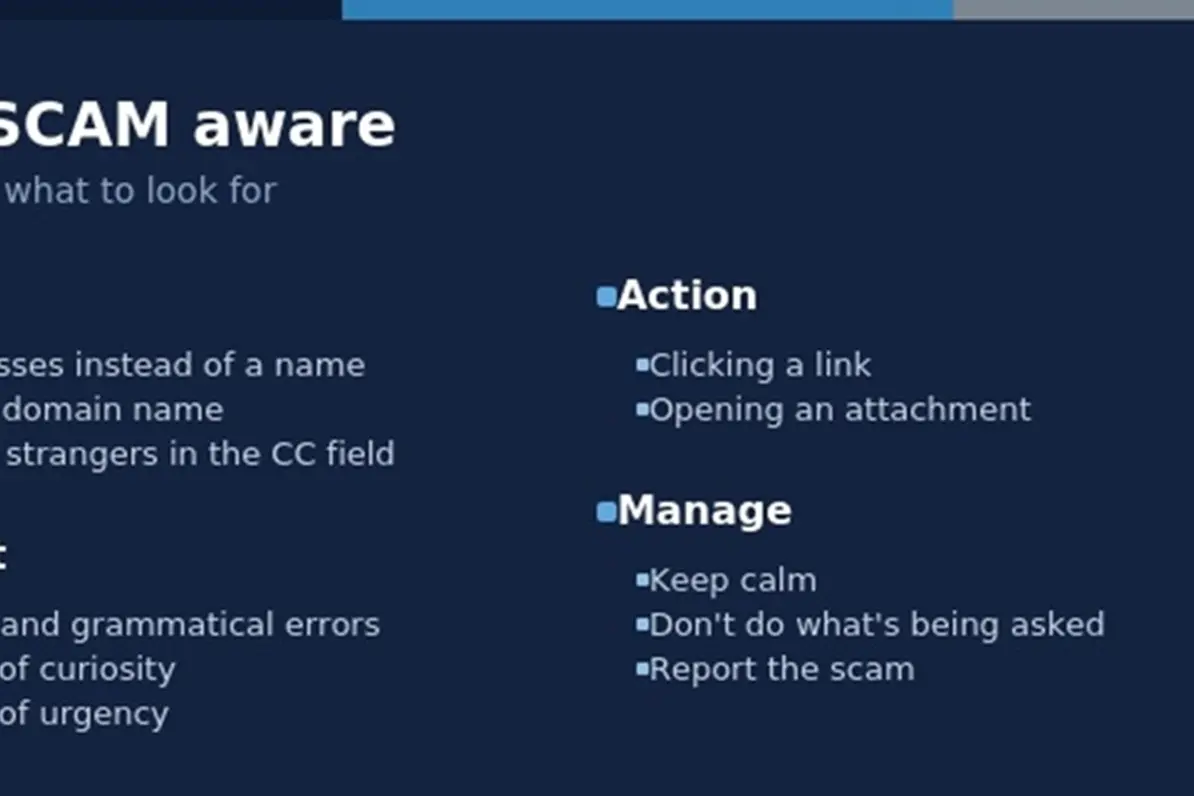
This week's Tech Corner looks at SCAM, an easy way to remember what to check:
Sender,
Content, Action and
Manage.
Sender
Start by asking a simple question: do you know this sender or caller, and are you expecting to hear from them?
For emails, warning signs include an IP address instead of a name, an unusual domain name, or random strangers copied into the CC field. For texts and calls, check the number itself. A genuine organisation will usually contact you from a consistent number or short code, not a random mobile number.
It also helps to ask whether you actually use that carrier, bank, service or credit card at all. A text claiming to be from a bank you don't hold an account with, or a telco you're not a customer of, is an easy giveaway.
Content
Scammers rely on the same handful of emotional triggers, whatever the format. Look out for spelling and grammatical errors, a sense of curiosity designed to make you want to know more, a sense of urgency designed to make you act before you think, and a false sense of authority, where the scammer pretends to be a trusted organisation such as a bank, government agency or delivery service.
Action
Check what you're actually being asked to do. Most scams rely on you clicking a link, opening an attachment, calling a number back, reading out a one-time code, or moving the conversation to another messaging app.
Manage
If something feels off, keep calm and don't do what's being asked. Don't click the link, don't call the number provided, and don't read out any codes. If you want to check whether a call or message is genuine, contact the organisation directly using a number from your card, a statement or their official website, not one supplied in the message itself. Then report the scam.
A real example
A Boorowa resident recently told me about a call they received from someone claiming to be from Bendigo Bank, saying there was an issue with a payment on their account. The caller talked them through logging into their online banking, then convinced them to make a transfer to resolve the supposed issue.
It is worth remembering that a bank, telco or other service provider will never ask for your login details or ask you to give them remote access to your computer. If this happens, treat it as a red flag, end the call, and contact the organisation directly using the number on your card, a statement or their official website.
Staying safe from scam emails, texts and calls
• Delete or ignore unknown or untrusted messages. Report suspicious emails to your email provider, and forward suspicious texts to 7726 (SPAM), a free service supported by Australian telcos.
• Never open attachments or click links from untrusted messages, including ones from a legitimate contact you were not expecting.
• Do not call numbers provided by suspicious text or voicemail. Look up the organisation's numbers independently instead.
• Be wary of unexpected calls asking you to move to a different app, provide remote access to your device, or read out a one-time code.
• Keep your device and antivirus software up to date.
• Avoid making personal information such as your email address and phone number public where possible.
Anyone can fall for a scam, especially a well-made one. If it happens to you, don't panic. Change any affected passwords immediately, contact your bank if financial details were shared, and contact your workplace IT team if it happened at work.
Scam emails and cyber incidents can be reported to the Australian Cyber Security Centre (ACSC) at cyber.gov.au/report. Scam texts and calls can also be reported to Scamwatch, run by the Australian Competition and Consumer Commission (ACCC), at scamwatch.gov.au.